📜 Simple Mojolicious Markdown Documents Viewer




A tiny Mojolicious::Lite app that serves and renders a folder (and subfolders) of Markdown files.
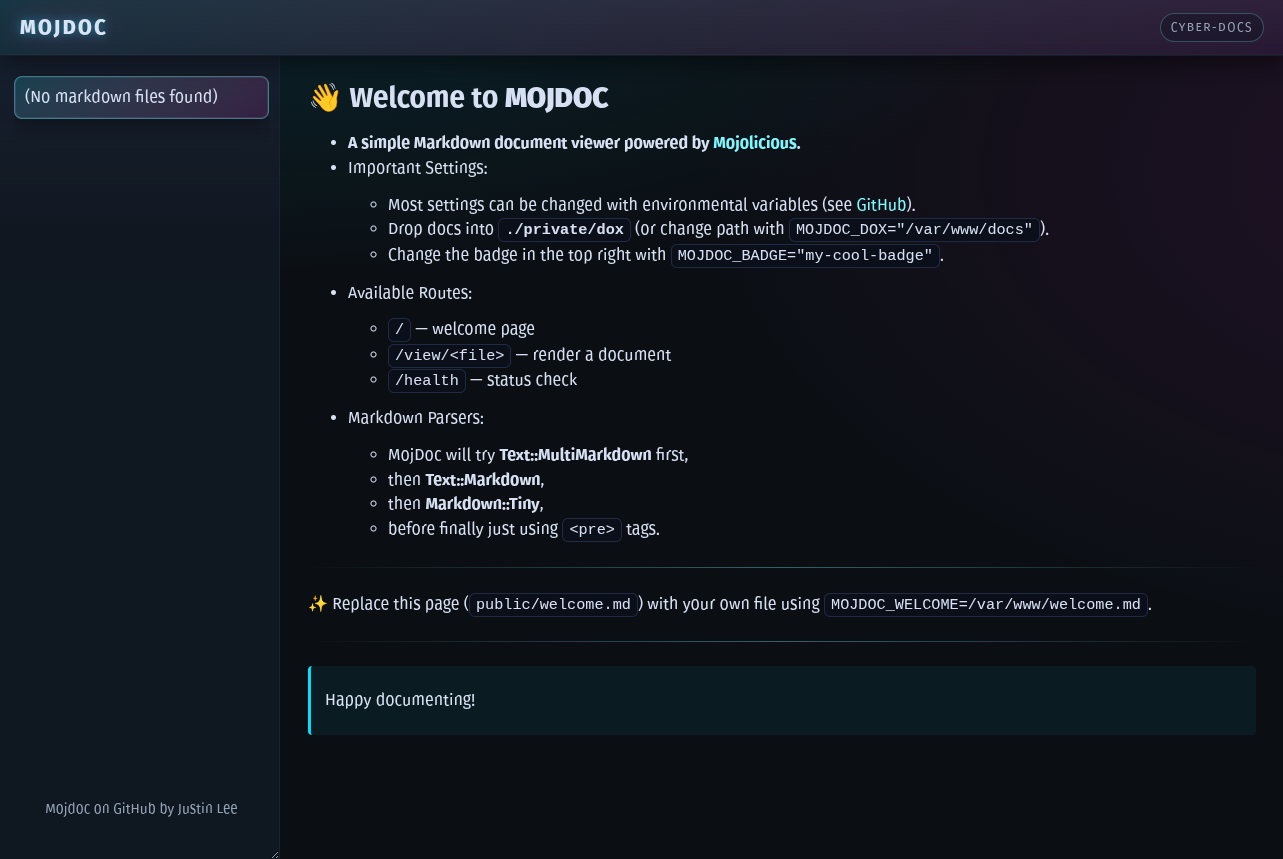
💡 Features
- Renders markdown (
.md/.markdown) files (recursively) from a docs folder (ignores everything else) - Nested filetree on the left hand side, great for navigation
- GitHub-style fenced code block support
- Syntax highlighting via
highlight.js - Pluggable Markdown backends (first found wins):
Text::MultiMarkdown(recommended)Text::MarkdownMarkdown::Tiny- fallback to
<pre>
- Safe path resolution prevents path traversal
- A fun cyberpunk theme (with theme support coming at some point)
- Code written by someone with no Mojolicious experience, but lots of Perl experience
⚡ Quickstart
Let's just get it running!
📦 Prerequisites
# Setup Mojolicious (see URL above for more details), for example
cpanm Mojolicious

# Install a Markdown Renderer, for example
cpanm Text::MultiMarkdown
# Or via apt, for example
apt install libmojolicious-perl libtext-multimarkdown-perl
🟢 Run Mojdoc
# Clone the app
git clone 'https://github.com/justinnamilee/mojdoc.git'

# Create the documents directory and fill it with Markdown files
cd mojdoc && mkdir -p private/dox

# Run in dev with hot-reload
morbo mojdoc
🧩 Deploy Methods
Below are some tested deployment methods that work well for small internal sites or lightweight self-hosting setups.
🌀 Systemd (with Hypnotoad)
This is the most “production-style” method for persistent deployment on Linux servers.
- Runs via Hypnotoad, Mojolicious’s built-in pre-forking HTTP server.
- Handles restarts and crash recovery automatically.
- Well-documented in the Mojolicious Cookbook.
Example steps:
- Copy or adapt the provided service file: mojdoc.example.service
- Update the
WorkingDirectorysetting to your Mojdoc folder. - Enable and start it:
   cp mojdoc.example.service /etc/systemd/system/mojdoc.service
   vim /etc/systemd/system/mojdoc.service
   systemctl daemon-reload
   systemctl enable --now mojdoc.service
Tip: Use
journalctl -u mojdoc -fto follow logs live.
This setup is ideal for "set it and forget it" servers or internal documentation sites behind a reverse proxy.
⚙️ PM2 (Node.js Process Manager)
If you already use PM2 to manage other apps, Mojdoc can fit right in.
- Run Hypnotoad in foreground mode, and PM2 will manage restarts and logs.
Example steps:
- Copy or adapt the provided ecosystem file: ecosystem.config.example.js
- Start it and save it:
   cp ecosystem.config.example.js ecosystem.config.js
   vim ecosystem.config.js
   pm2 start ecosystem.config.js
   pm2 save
Tip: Use
pm2 log mojdocto follow logs live. Assuming you haven't changed thenamefield.
This approach is lightweight and convenient for developers or mixed stacks.
🐳 Docker / Docker Compose
A container image is available for quick deployment.
- Example compose file: docker-compose.example.yml
- Container packages live under GitHub Packages.
- Mount your Markdown docs and config to
/opt/mojdocinside the container.
Example minimal docker-compose.yml:
version: "3"
services:
  mojdoc:
    image: ghcr.io/justinnamilee/mojdoc:latest
    container_name: mojdoc
    ports:
      - "3000:3000"
    volumes:
      - ./private/dox:/opt/mojdoc/private/dox
      - ./mojdoc.conf:/opt/mojdoc/mojdoc.conf
Then just start it:
docker compose up -d
Note: This is the cleanest way to deploy on any host — minimal dependencies, easy upgrades.
🧪 Development (Morbo)
For development or testing:
morbo mojdoc
- Auto-reloads on file changes.
- Logs everything to the console.
- Perfect for previewing local documentation sets.
🧭 Summary
| Method | Best For | Pros | Cons |
|---|---|---|---|
| Systemd | Servers | Robust, auto-restart, native | Needs root/system access |
| PM2 | Dev/staging | Simple restarts, cross-platform | Requires Node/PM2 |
| Docker | Portability | Zero setup, isolated | Slightly more moving parts |
| Morbo | Local dev | Instant reloads | Not for production |
Author's Note: Of the two deploys I'm personally using, one is PM2 and one is Systemd.
¯\_(ツ)_/¯
🔧 Configuration
Configure via a Config plugin file (i.e. mojdoc.conf) or environment variables. For Docker, PM2, or Systemd deploys it is strongly recommended to use a config file (Docker config should be mounted to /opt/mojdoc/mojdoc.conf).
🪶 Specific Settings for mojdoc
| Setting | ENV Var | Default | What it does |
|---|---|---|---|
badge |
MOJDOC_BADGE |
cyber-docs |
Label used by the template UI. |
dox |
MOJDOC_DOX |
private/dox |
Root folder to scan for docs. |
welcome |
MOJDOC_WELCOME |
public/welcome.md |
Welcome file rendered on /. |
logit |
MOJDOC_LOGIT |
0 |
Enable view GET logs with 1. |
🧰 Useful Settings for Mojolicious
| Setting | ENV Var | Default | What it does |
|---|---|---|---|
listen |
MOJO_LISTEN |
http://*:3000 |
List of listen URLs for the built-in server. |
proxy |
MOJO_REVERSE_PROXY |
0 (auto-on if trusted_proxies set) |
Treat X-Forwarded-* headers as authoritative (behind a trusted proxy). |
trusted_proxies |
MOJO_TRUSTED_PROXIES |
empty | CIDR/IP list of proxies to trust for client IP. |
log_level |
MOJO_LOG_LEVEL |
trace (dev), info (otherwise) |
Forces logger level (trace/debug/info/warn/error/fatal). |
max_request_size |
MOJO_MAX_REQUEST_SIZE |
16 MiB | Caps total HTTP request size (body + params). |
keep_alive_timeout |
MOJO_KEEP_ALIVE_TIMEOUT |
5 | Seconds that idle connections may stay open. |
🚀 Example mojdoc.conf File
{
  "badge": "super-secret-dox",
  "dox": "/var/www/secure/dox",
  "welcome": "/var/www/secure/welcome.md",
  "logit": 0,
  "hypnotoad": {
    "listen": "http://*:9009",
    "proxy": 1,
    "trusted_proxies": "127.0.0.1, ::1"
  }
}
For more information on this topic see The Mojolicious Cookbook.
🛣️ Routes
GET /Renders the welcome page and shows a list of matching files discovered underDOX.GET /view/*docRenders a specific Markdown file. From files within theDOXtree.GET /healthReturnsOK. Useful for health checks.
🤝 Maintainers / Support
For issues or feature requests, see GitHub Issues.
🗂️ Directory Structure
.
├── docker-compose.yml           ## example compose file, it's in .gitignore
├── docker-compose.example.yml   ## useful to deploy with Docker
├── Dockerfile
├── ecosystem.config.js          ## example pm2 config, it's in .gitignore
├── ecosystem.config.example.js  ## useful to deploy with PM2
├── LICENSE
├── Makefile.PL
├── mojdoc                       ## main application
├── mojdoc.conf                  ## example application config, it's in .gitignore
├── mojdoc.service               ## example service file, it's in .gitignore
├── mojdoc.example.service       ## useful to deploy with Systemd
├── private                      ## default public folder, it's in .gitignore
│   ├── dox                      ## default path to look for documents (MOJDOC_DOX)
│   │   └── yourExample.md       ## example file that would be publicly served
│   └── welcome.md               ## your replacement welcome.md if you wanted (MOJDOC_WELCOME)
├── public
│   ├── css
│   │   └── mojdoc.css
│   ├── favicon.svg
│   └── welcome.md               ## default welcome page
├── README.md
├── t                            ## a non-zero amount of testing
│   └── ...
└── templates                    ## a non-zero amount of website
    ├── dox.html.ep
    ├── exception.html.ep
    ├── layouts
    │   └── mojdoc.html.ep
    ├── nodox.html.ep
    ├── not_found.html.ep
    └── sidebar.html.ep
Made with 💙 in Perl!